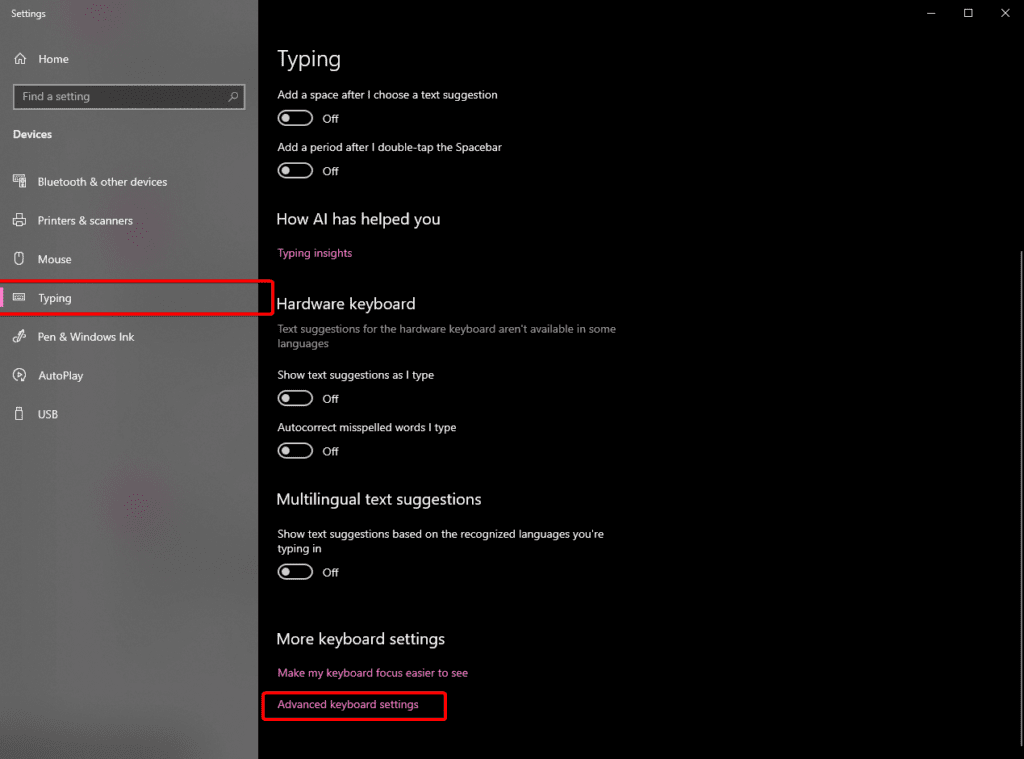
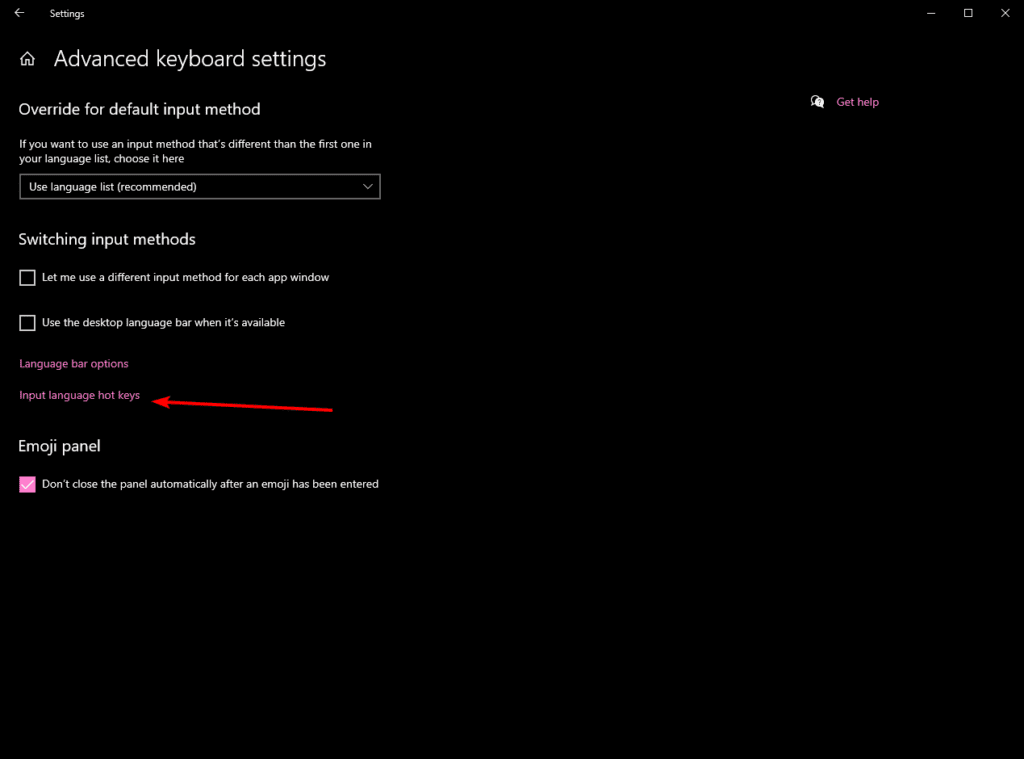
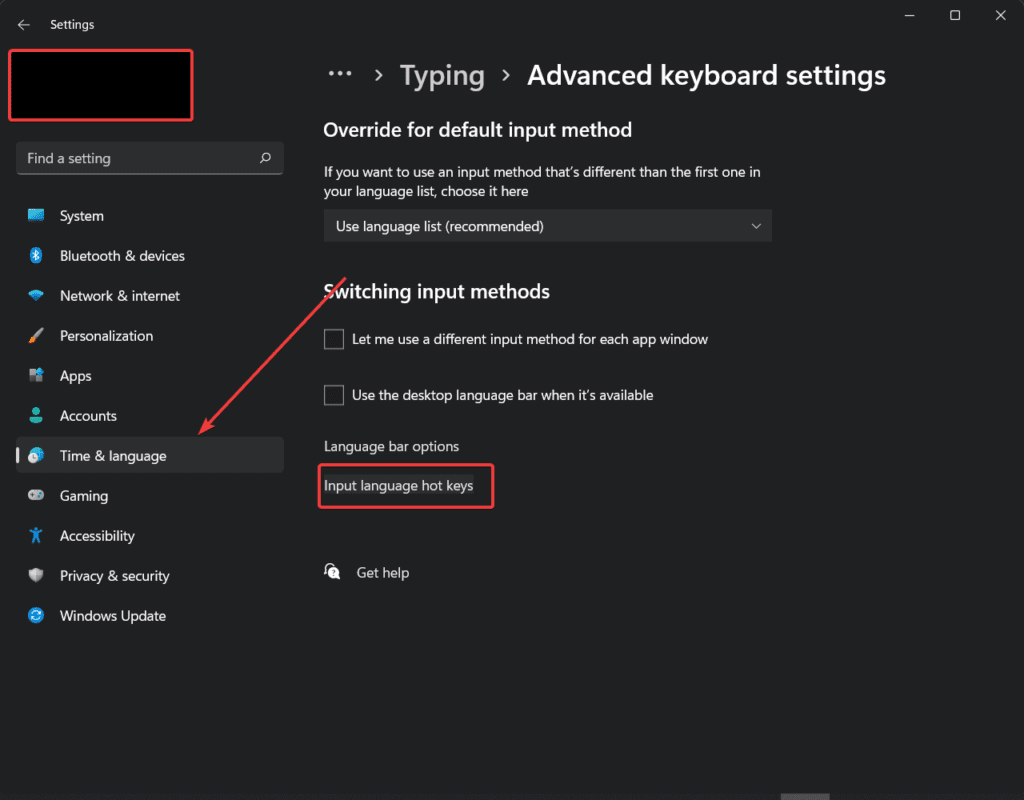
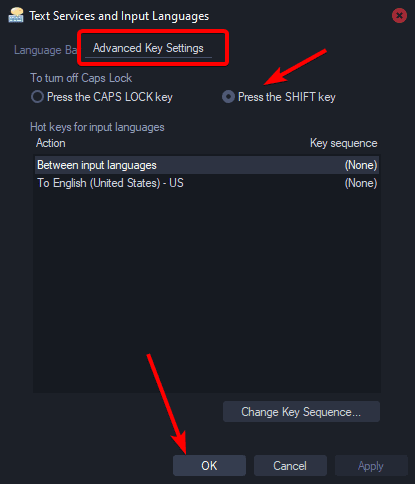
Everyone remembers my famous last post about making Caps Lock idempotent. Here’s how to do it on Linux with xkb (assuming you’re running xkb).
wtf is xkb?
XKB (X Keyboard Extension) is the Linux/Unix system that controls how your keyboard behaves at a low level. It defines keymaps, layouts, modifiers, and rules for translating key presses into characters and actions. If you switch layouts, remap keys, or use advanced shortcuts on Linux, XKB is usually doing the heavy lifting under the hood.
Talk is Cheap
mkdir -p ~/.config/xkb/symbols/cat > ~/.config/xkb/symbols/capsidem << 'EOF'
default partial modifier_keys
xkb_symbols "basic" {
include "us(basic)"
key <CAPS> {
type[Group1] = "ONE_LEVEL",
symbols[Group1] = [ Caps_Lock ],
actions[Group1] = [ LockMods(modifiers = Lock, affect = lock) ]
};
key <LFSH> {
type[Group1] = "ALPHABETIC",
symbols[Group1] = [ Shift_L, Shift_L ],
actions[Group1] = [ SetMods(modifiers=Shift),
LockMods(modifiers=Shift+Lock, affect=unlock) ]
};
key <RTSH> {
type[Group1] = "ALPHABETIC",
symbols[Group1] = [ Shift_R, Shift_R ],
actions[Group1] = [ SetMods(modifiers=Shift),
LockMods(modifiers=Shift+Lock, affect=unlock) ]
};
};
EOFFor me, because I’m using Hypr 0.55, I can load it instantly like this:
hyprctl eval 'hl.config({ input = { kb_layout = "capsidem" } })'And just add that block itself without the hyprctl eval to my Lua config to persist it on boot.
Other
Check you’re running xkb with your stack first. Then probably something like this:
setxkbmap -layout capsidem -print | xkbcomp -I$HOME/.config/xkb - $DISPLAYOr, create the file into /usr/share/X11/xkb/symbols/ (requires sudo) and run:
setxkbmap -layout capsidemIt helps me if you share this post
https://rose.dev/blog/2026/06/12/press-shift-to-disable-caps-lock-xkb-edition/
Published 2026-06-12 21:55:52