Pure JavaScript Asteroids Clone with Enemy Ships Source Code

There are many acceptable JavaScript game engines out nowadays, but often you can get good performance from writing your own simple engine or renderer depending on your use case. The code for this project will be on my GitHub linked below.

What goes into writing a game engine?

Ideally, we want to handle a few important things.

  1. States, whether that be states of objects (alive, dead, moving, the type of enemy)
  2. Rendering
  3. Spawnable objects (with previously mentioned states)
  4. Input
  5. Save data

We approach this task with an object-oriented mindset instead of a functional programming mindset. Although there are a few global variables such as the overall running game state or the object pool arrays, most of the memory or information we need to remember occurs on a per-object basis.

We will be using a ‘Canvas‘ to draw our simple asteroid graphics. Writing a 3d renderer in JS is a much more complex task, although libraries like threeJS exist to get you started.

To begin with, we want to define a Vector2D class that we can reuse throughout our game. I’m familiar with Unity so I imagine an implementation similar to their engine’s GameObject setup, but any class that can read / write an X and Y will work.

var Vec2D = (function() {
var create = function(x, y) {
        var obj = Object.create(def);
        obj.setXY(x, y);

        return obj;
    };

    var def = {
        _x: 1,
        _y: 0,

        getX: function() {
            return this._x;
        },

        setX: function(value) {
            this._x = value;
        },

        getY: function() {
            return this._y;
        },

        setY: function(value) {
            this._y = value;
        },

        setXY: function(x, y) {
            this._x = x;
            this._y = y;
        },

        getLength: function() {
            return Math.sqrt(this._x * this._x + this._y * this._y);
        },

        setLength: function(length) {
            var angle = this.getAngle();
            this._x = Math.cos(angle) * length;
            this._y = Math.sin(angle) * length;
        },

        getAngle: function() {
            return Math.atan2(this._y, this._x);
        },

        setAngle: function(angle) {
            var length = this.getLength();
            this._x = Math.cos(angle) * length;
            this._y = Math.sin(angle) * length;
        },

        add: function(vector) {
            this._x += vector.getX();
            this._y += vector.getY();
        },

        sub: function(vector) {
            this._x -= vector.getX();
            this._y -= vector.getY();
        },

        mul: function(value) {
            this._x *= value;
            this._y *= value;
        },

        div: function(value) {
            this._x /= value;
            this._y /= value;
        }
    };

    return {
        create: create
    };
}());       

This will allow us to reference positions easier. It’s vital to implement a few capabilities for our renderer. One important need is to be able to draw an object to our canvas at a specified position, and have the capability to clear said canvas, preparing for the next frame the game renders.

To draw a line, we can write JavaScript such as:

var c = document.getElementById("canvas");
var ctx = c.getContext("2d");
ctx.moveTo(0, 0);
ctx.lineTo(200, 100);
ctx.stroke();

And if we wanted to clear our canvas, we can use clearRect:

ctx.clearRect(0, 0, canvas.width, canvas.height);

We can define a render function to handle our different objects.

window.getAnimationFrame =
    window.requestAnimationFrame ||
    window.webkitRequestAnimationFrame ||
    window.mozRequestAnimationFrame ||
    window.oRequestAnimationFrame ||
    window.msRequestAnimationFrame ||
function(callback) {
    window.setTimeout(callback, 16.6);
};
render(){
    context.clearRect(0,0,screenWidth,screenHeight);
    renderShips();
    renderAsteroids();
    renderBullets();
    getAnimationFrame(loop);
}

renderShips(){
    ship.renderSelf();
    for (int i = 0; i < enemies.length; i++)
    enemies.renderSelf();
}
...etc

Then an example render self function:

renderSelf: function() {
    if (this.hasDied)
        return;
    context.save();
    context.translate(this.pos.getX() >> 0, this.pos.getY() >> 0);
    context.rotate(this.angle);
    context.strokeStyle = playerColor;
    context.lineWidth = (Math.random() > 0.9) ? 4 : 2;
    context.beginPath();
    context.moveTo(10, 0);
    context.lineTo(-10, -10);
    context.lineTo(-10, 10);
    context.lineTo(10, 0);
    context.stroke();
    context.closePath();

    context.restore();
}

Which would render our object assuming a class holding some variables with our Vector2 class we described earlier.

var Ship = (function() {
var create = function(x, y, ref) {
    var obj = Object.create(def);
    obj.ref = ref;
    obj.angle = 0;
    obj.pos = Vec2D.create(x, y);
    obj.vel = Vec2D.create(0, 0);
    obj.thrust = Vec2D.create(0, 0);
    obj.invincible = false;
    obj.hasDied = false;
    obj.radius = 8;
    obj.idleDelay = 0;
    obj.isSpectating = false;

    return obj;
};
...etc

We are handling rendering and state management from inside an object now. All that just for a triangle.

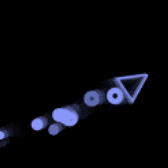
player ship

We aren’t done yet. Next we need to handle Input. The goal with creating object classes is reusability and extensibility. We don’t need to spawn multiple instances of an input, so we can handle that globally. Your Input function may look something like this:

window.onkeydown = function(e) {
    switch (e.keyCode) {
        //key A or LEFT
        case 65:
        case 37:
            keyLeft = true;
            break;
            //key W or UP
        case 87:
        case 38:
            keyUp = true;
            break;
            //key D or RIGHT
        case 68:
        case 39:
            keyRight = true;
            break;
            //key S or DOWN
        case 83:
        case 40:
            keyDown = true;
            break;
            //key Space
        case 32:
        case 75:
            keySpace = true;
            break;
            //key Shift
        case 16:
            keyShift = true;
            break;
    }

    e.preventDefault();
};

window.onkeyup = function(e) {
    switch (e.keyCode) {
        //key A or LEFT
        case 65:
        case 37:
            keyLeft = false;
            break;
            //key W or UP
        case 87:
        case 38:
            keyUp = false;
            break;
            //key D or RIGHT
        case 68:
        case 39:
            keyRight = false;
            break;
            //key S or DOWN
        case 83:
        case 40:
            keyDown = false;
            break;
            //key Space
        case 75:
        case 32:
            keySpace = false;
            break;
            //key Shift
        case 16:
            keyShift = false;
            break;
    }

    e.preventDefault();
};

e.preventDefault() will stop users from accidentally hitting keys such as ctrl + L and losing focus from the window, or jumping the page with Space, for instance.

function updateShip() {
    ship.update();

    if (ship.hasDied) return;

    if (keySpace) ship.shoot();
    if (keyLeft && keyShift) ship.angle -= 0.1;
    else if (keyLeft) ship.angle -= 0.05;
    if (keyRight && keyShift) ship.angle += 0.1;
    else if (keyRight) ship.angle += 0.05;

    if (keyUp) {
        ship.thrust.setLength(0.1);
        ship.thrust.setAngle(ship.angle);
    } else {
        ship.vel.mul(0.94);
        ship.thrust.setLength(0);
    }

    if (ship.pos.getX() > screenWidth) ship.pos.setX(0);
    else if (ship.pos.getX() < 0) ship.pos.setX(screenWidth);

    if (ship.pos.getY() > screenHeight) ship.pos.setY(0);
    else if (ship.pos.getY() < 0) ship.pos.setY(screenHeight);
}

...etc

function checkDistanceCollision(obj1, obj2) {
    var vx = obj1.pos.getX() - obj2.pos.getX();
    var vy = obj1.pos.getY() - obj2.pos.getY();
    var vec = Vec2D.create(vx, vy);

    if (vec.getLength() < obj1.radius + obj2.radius) {
        return true;
    }

    return false;
}

...etc

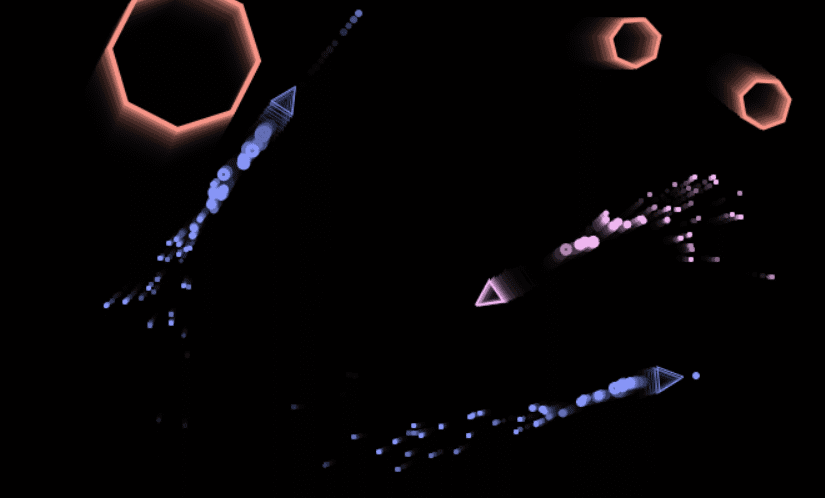
Once we have the ability to render a reusable object to a canvas and read / write a position that can be checked, we use that as a template to create other objects (particles, asteroids, other ships).

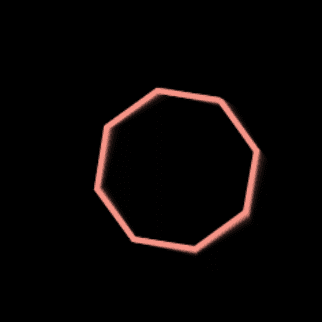
hexagon asteroid
enemy ship example

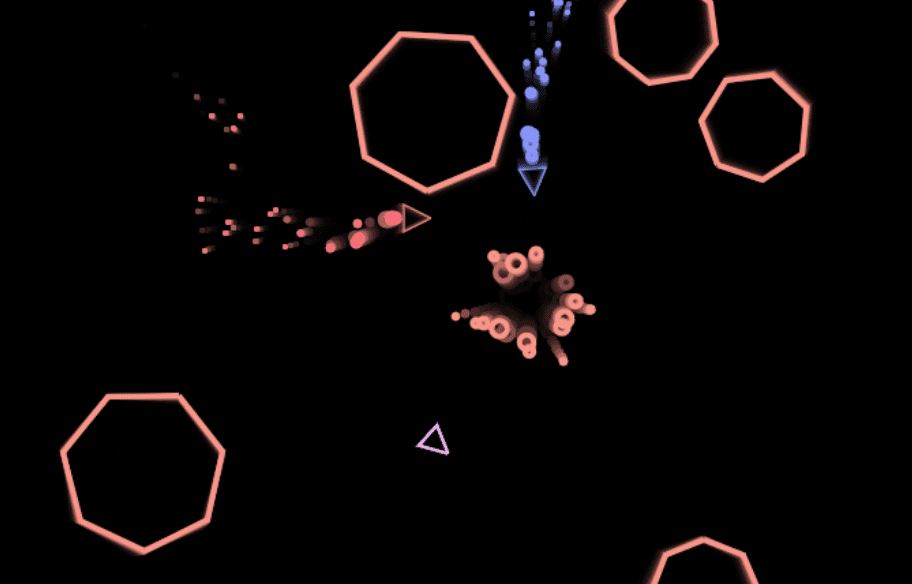
You can make interesting graphics with just basic shapes. We handle collision by assigning either an xWidth and yWidth + xOffset and yOffset, OR a radius. This again would be assigned to the object itself to keep track of.

asteroids game example

Further Techniques

If we can control the rendering manually we can leave an ‘afterimage’ on our canvas before rendering the next frame as opposed to clearing it entirely. To do this, we can manipulate the canvas’ global alpha.

// Get the canvas element and its 2D rendering context
const canvas = document.getElementById('myCanvas');
const ctx = canvas.getContext('2d');
// Set the initial alpha value
let alpha = 0.1; // You can adjust this value to control the fading speed
// Function to create the afterimage effect
function createAfterimage() {
    // Set a semi-transparent color for the shapes
    ctx.fillStyle = `rgba(255, 255, 255, ${alpha})`;
    // Fill a rectangle covering the entire canvas
    ctx.fillRect(0, 0, canvas.width, canvas.height);
    // Decrease alpha for the next frame
    alpha *= 0.9; // You can adjust this multiplier for a different fade rate
    // Request animation frame to update
    requestAnimationFrame(createAfterimage);
}
// Call the function to start creating the afterimage effect
createAfterimage();

And a simple localStorage can be used to save scores.

function checkLocalScores() {
    if (localStorage.getItem("rocks") != null) {
        visualRocks = localStorage.getItem("rocks");
    }
    if (localStorage.getItem("deaths") != null) {
        visualDeaths = localStorage.getItem("deaths");
    }
    if (localStorage.getItem("enemyShips") != null) {
        visualEnemyShips = localStorage.getItem("enemyShips");
    }
    updateVisualStats();
}
function saveLocalScores() {
    localStorage.setItem("rocks", visualRocks);
    localStorage.setItem("deaths", visualDeaths);
    localStorage.setItem("enemyShips", visualEnemyShips);
}

End Result

You can see and play the game here.

Source code is here. ✨


It helps me if you share this post

Published 2023-11-30 23:51:07

AI Music Generation: MusicGen

Researchers have recently released a new paper and subsequent model, “Simple and Controllable Music Generation”, where they highlight it “is comprised of a single-stage transformer LM together with efficient token interleaving patterns, which eliminates the need for cascading several models”. What this essentially means in practice is the music generation can now be completed in less steps, and is getting more efficient as we make progress on various different types of models.

I expect AI to hit every industry in an increasingly rapid pace as more and more research becomes available and progress starts leapfrogging based on other models. MUSICGEN was trained with about 20K hours of unlicensed music, and the results are impressive.

Here are some interesting generations I thought sounded nice. As more models from massively trained datasets hit the public, we will see more community efforts and models as well just like with art.

Medium Model

I used the less performant medium model (1.5B parameters and approx 3.7 GB) to demonstrate how even on relatively poor hardware you could achieve reasonable results. Here is some lofi generated from the medium model.

Large Model

A step up is the 6.5 GB model. This produce slightly better sounding results.

What is that melody?

There is also a ‘Melody’ model that is a refined 1.5B parameter version.

Limitations

There are a few limitations on this model, namely the lack of vocals.

Limitations:

  • The model is not able to generate realistic vocals.
  • The model has been trained with English descriptions and will not perform as well in other languages.
  • The model does not perform equally well for all music styles and cultures.
  • The model sometimes generates end of songs, collapsing to silence.

However, future models and efforts will remedy these points. It’s only a matter of time before a trained vocal model is released with how fast machine learning advancements are accelerating.


It helps me if you share this post

Published 2023-06-10 18:36:40

Starbound 1.4.4 Source Code

Starbound has been one of my favorite games of all time, so I’m happy to say that I have the latest Starbound source code, last commit August 7th, 2019. I will not be explaining how I got these files. It is the actual source, not just a decompilation, and as such includes build scripts, unused stuff, old migration code, comments, a stored test player, etc.

Source Screenshots

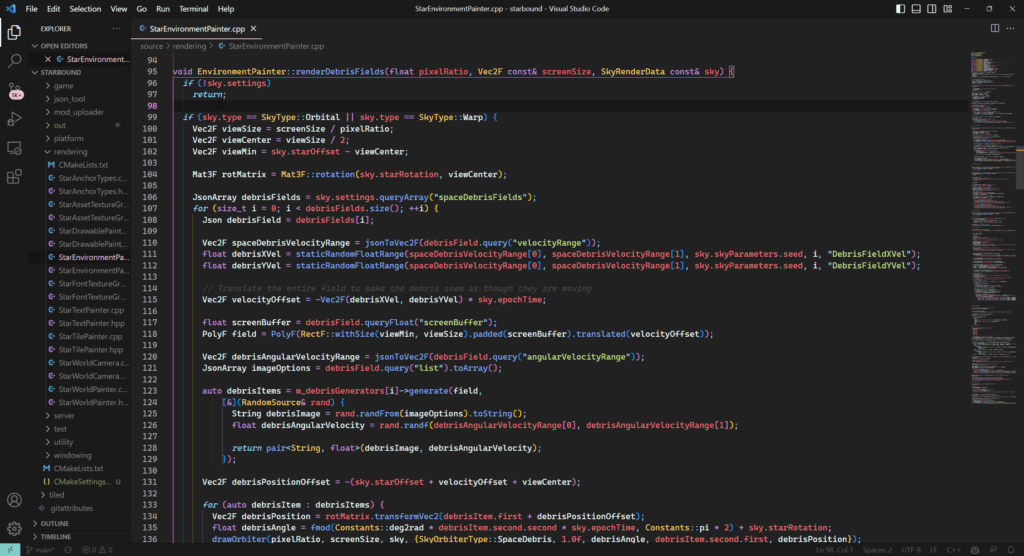
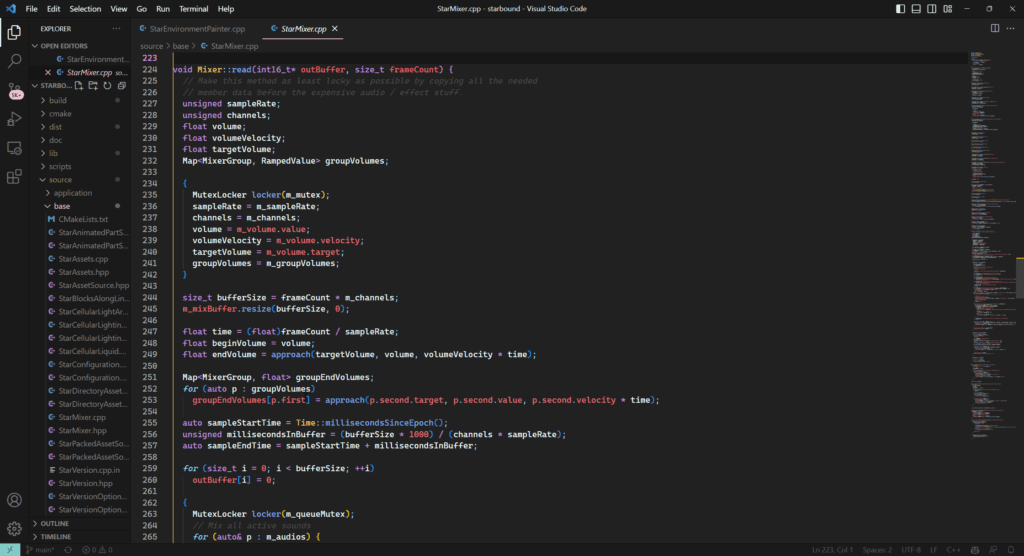
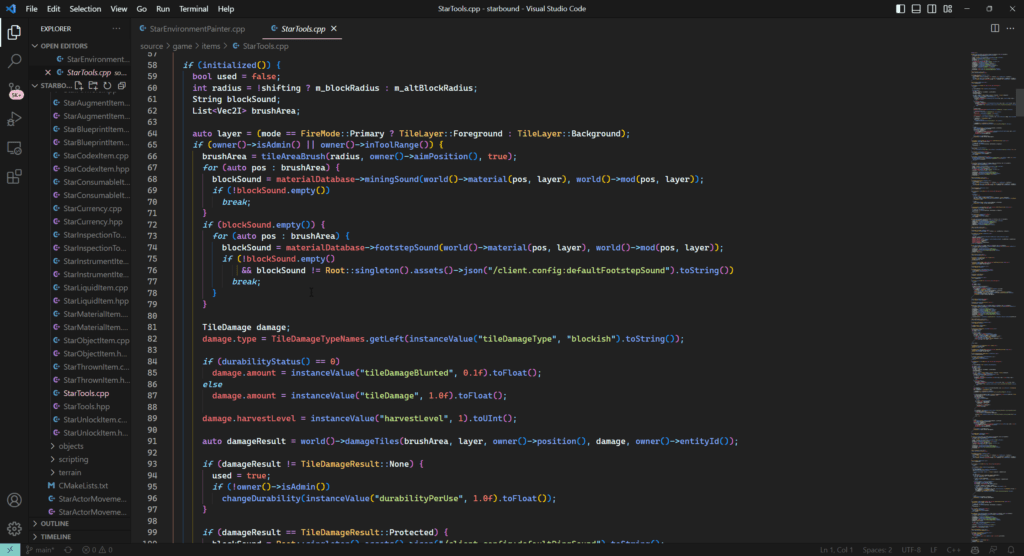
The source has minimal comments, and the structure is reasonable. I found the code easy to read and understand, but perhaps that’s because I’ve been modding Starbound for years now and am familiar with its behavior.

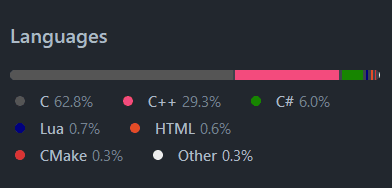
Languages Breakdown (GitHub)

StarEnvironmentPainter.cpp

StarEnviroment.cpp preview

StarMixer.cpp (audio related)

StarMixer.cpp source preview

StarTools.cpp

StarTools.cpp source preview

Building

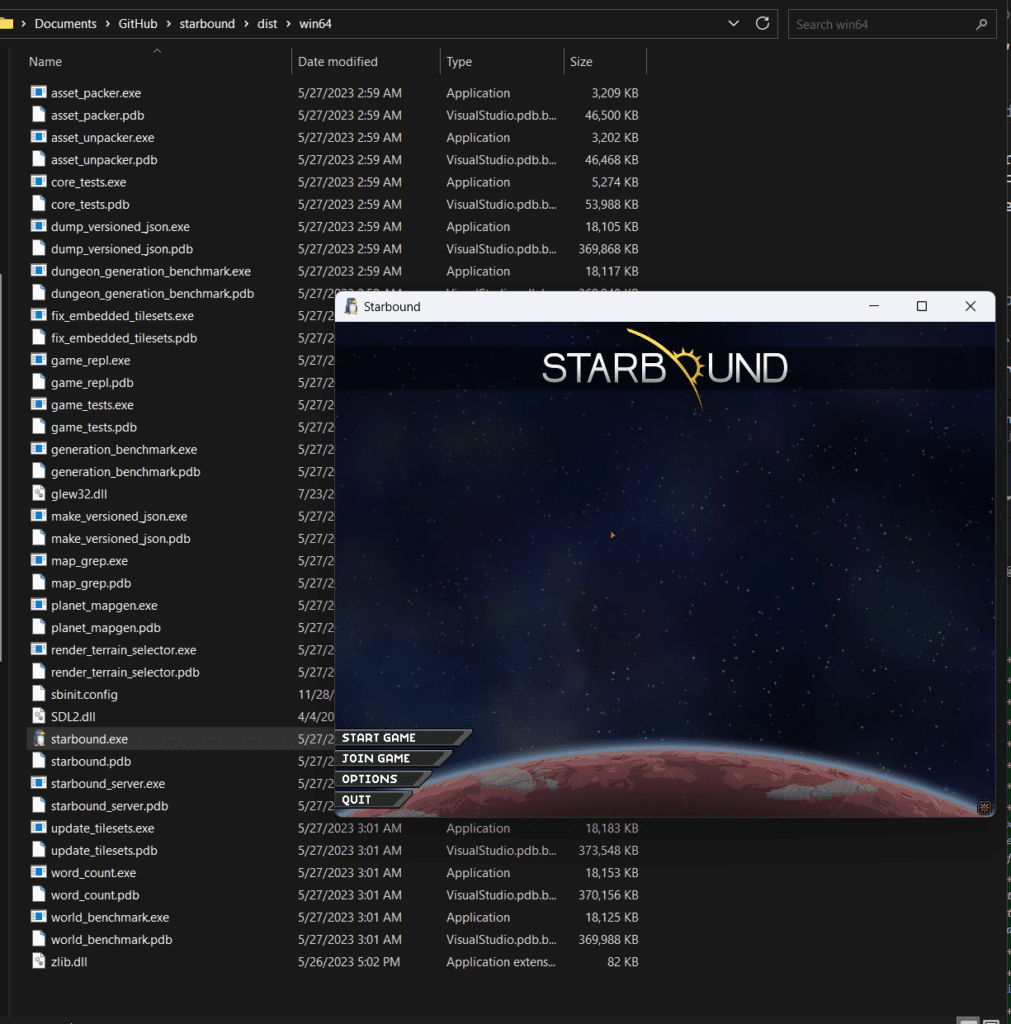
And of course, we can build it. I compiled this version without Steam API or the Discord rich presence API, but those are easily included.

Skip to 1:10 to see the game launch

Funny Developer Comments

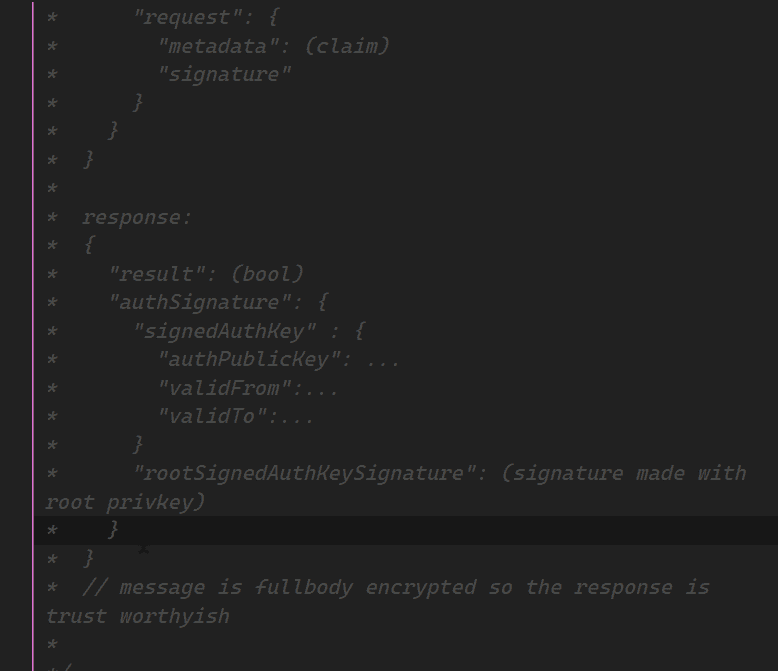
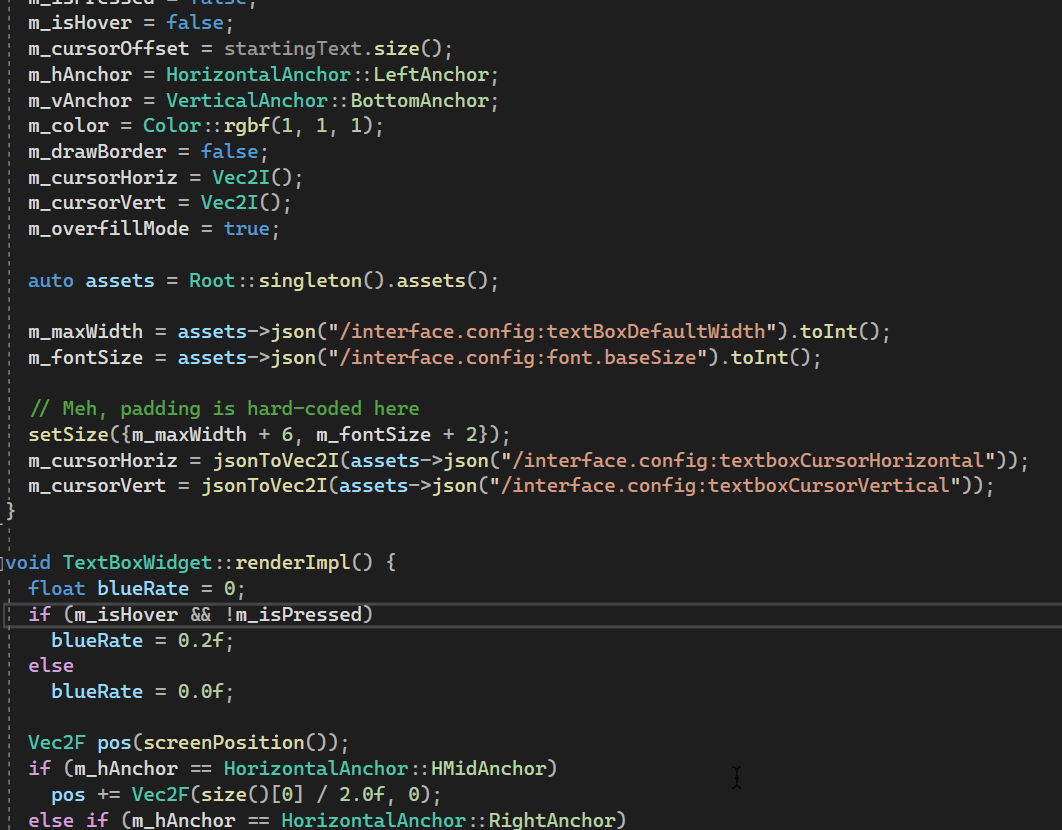
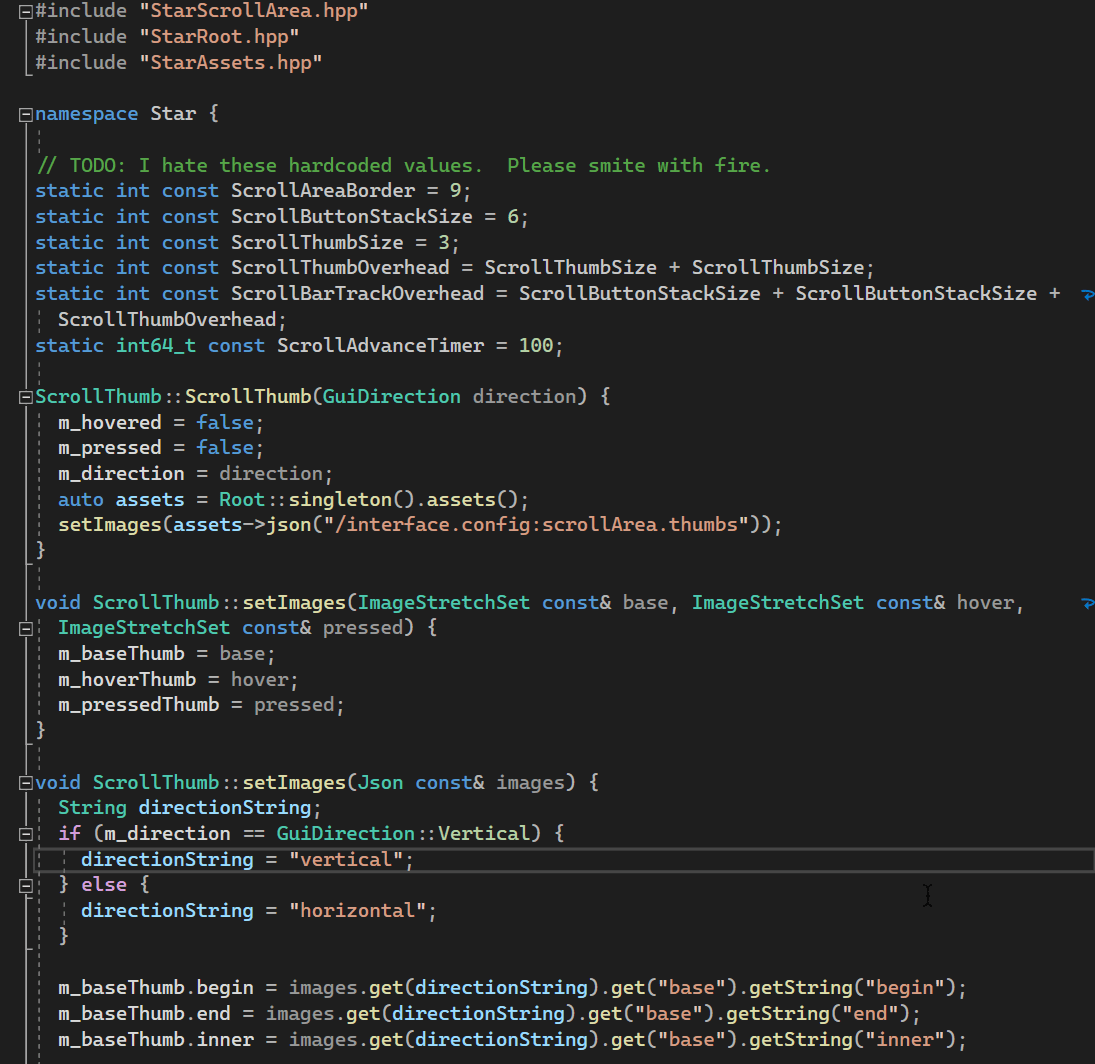
Here’s a look at some of the best (in my opinion) developer comments in the source. This is not intended to be a mockery, far from it, I’m ecstatic I can take a peek into the minds of the developers. Enjoy.

// message is fullbody encrypted so the response is trust worthyish

// Meh, padding is hard-coded here

// TODO: I hate these hardcoded values.  Please smite with fire.
// TODO: I hate these hardcoded values. Please smite with fire.

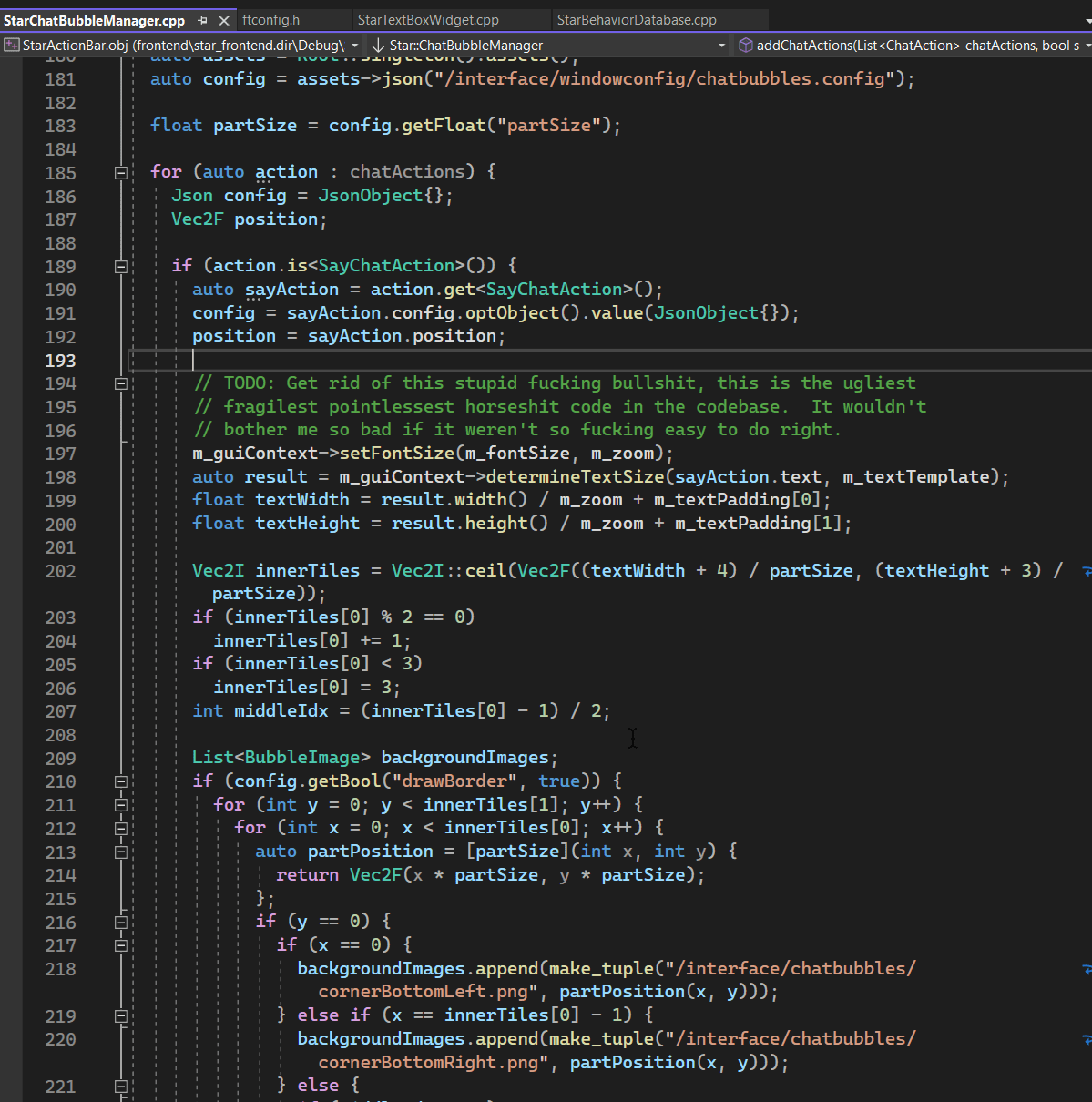
// TODO: Get rid of this stupid fucking bullshit, this is the ugliest
// fragilest pointlessest horseshit code in the codebase.  It wouldn't
// bother me so bad if it weren't so fucking easy to do right.
// TODO: Get rid of this stupid fucking bullshit, this is the ugliest
// fragilest pointlessest horseshit code in the codebase. It wouldn’t
// bother me so bad if it weren’t so fucking easy to do right.

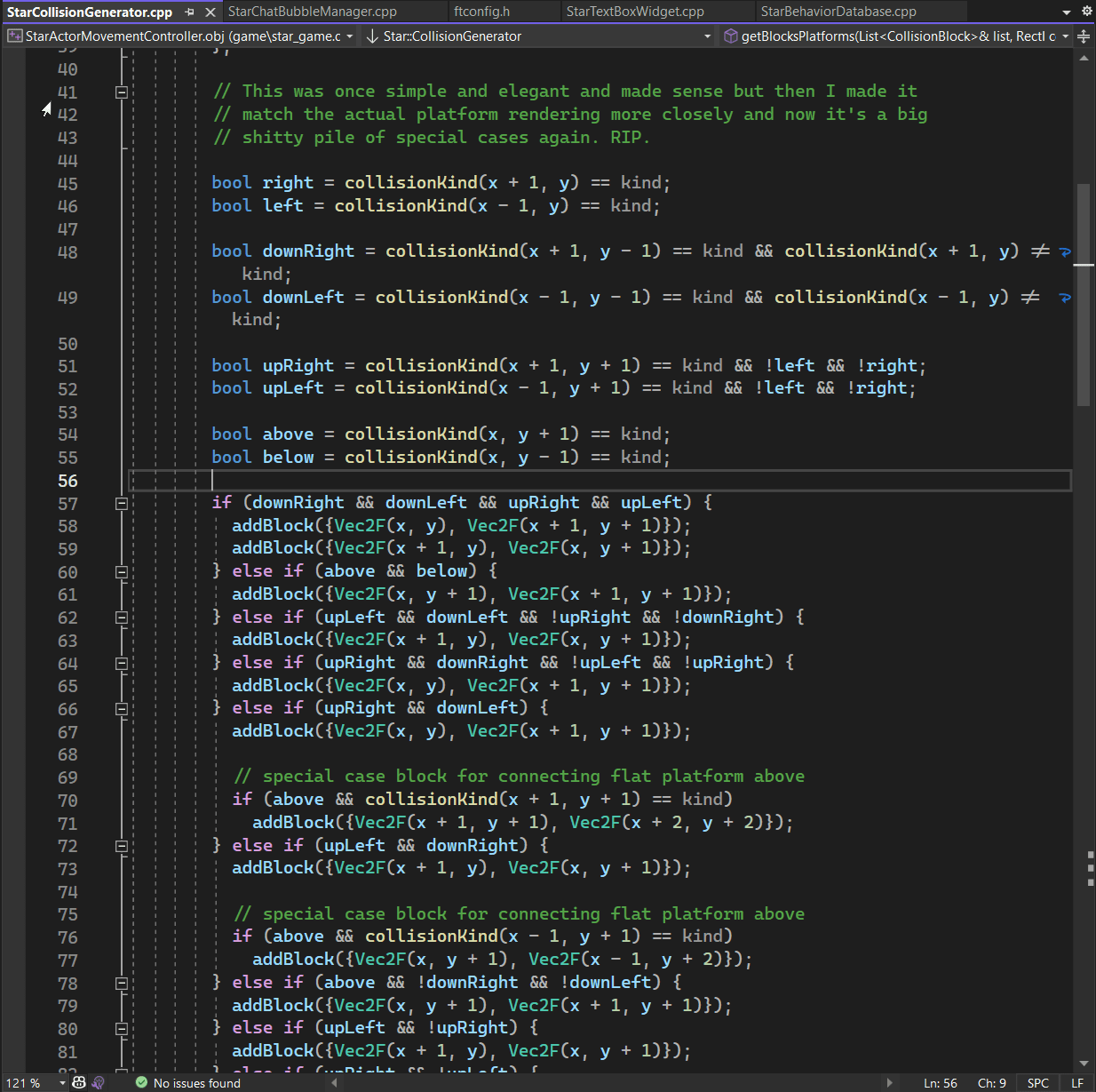
// This was once simple and elegant and made sense but then I made it
// match the actual platform rendering more closely and now it's a big
// shitty pile of special cases again. RIP.
// This was once simple and elegant and made sense but then I made it
// match the actual platform rendering more closely and now it’s a big
// shitty pile of special cases again. RIP.

Example: Simple Re-implementation of Vapor Trail and Sitting Toolbar Usage

At some point during development, Chucklefish had the idea to add a vapor trail when the player was falling fast. I could’ve sworn I saw a post on their news about it back when the game was in beta, but I can’t find it now. Anyway, we can add a small snippet to restore it, as an example of further engine work Starbound can benefit from.

// Vapor trail
if (m_movementController->velocity()[1] < -50) {
  m_vaporTrailTimer += WorldTimestep;
  if (m_vaporTrailTimer > 1)
      m_humanoid->setVaporTrail(true);
  }else{
  m_vaporTrailTimer = 0;
  m_humanoid->setVaporTrail(false);
}

By adding this snippet, we can see what it was roughly meant to look like.


We can also modify Player restrictions such as

bool Player::canUseTool() const {
  return !isDead() && !isTeleporting() && !m_techController->toolUsageSuppressed() && m_state != State::Lounge;
}

to just

return !isDead() && !isTeleporting() && !m_techController->toolUsageSuppressed();

Allowing us to use our inventory while sitting down

Further Thoughts

Future work on the engine can lead to further modding capabilities and engine optimizations. There are many potential client side performance improvements that could be made without touching any network code. This would maintain compatibility with the vanilla client. The netcode could be updated as well, but this would break compatibility once major changes were made. If both (or more) parties are willing to use a modified client, any theoretical modification could be made. The possibilities are endless.

As of 2024, there now exists a few Starbound open source community projects with the aim of enhancing the base game’s experience. : )


It helps me if you share this post

Published 2023-05-27 04:55:45

AI

AI will help developer efficiency, not replace it.

One of the most significant use cases I’ve found for AI in my development work is its ability to automate repetitive tasks, such as using a bunch of similarly named, grouped variables. I recently was creating a ‘Human’ class, and needed all body parts for variables. That was suggested and picked up almost immediately by Copilot after a couple lines, and the whole class was done in mere seconds vs a few minutes. This adds up and means that I can focus on other creative tasks, such as developing new features, creating new UI ideas or focusing on user feedback. The result is increased productivity and faster software development.

I imagine a future where one can describe the architecture of my Android app in as much detail as possible and then go in and clean up the resulting code manually to a specific vision. Developers will be fast tracked to a more active management role.


It helps me if you share this post

Published 2023-05-17 01:05:41

Bad Bot Traffic

The internet has changed the way we live, work, and communicate. It’s opened up new possibilities for innovation and creativity, allowing individuals and businesses to connect with each other and share their ideas with the world. But with this rise in connectivity and accessibility, there has slowly been another, darker side rising, in the form of bot traffic and spam.

Bots have become a major problem on the internet, with their traffic accounting for over 50% of all web traffic and spam in recent years (this number fluctuates) making up the majority of all email traffic. This rise in bot traffic and spam has had a devastating impact on small websites and businesses, choking their ability to innovate and grow.

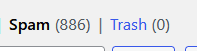
Small websites and businesses rely on organic traffic to grow and thrive. However, with so much spam on the internet, it can be difficult for these small players to compete. Bots can scrape content from websites, stealing their intellectual property and driving down their search engine rankings. And, can also be used to flood websites with irrelevant comments and messages, making it difficult for genuine users to engage with the content. Any website or content not protected with some sort of bot protection is immediately bombarded, DDoSed, hacked, or simply probed for information. I have almost 1,000 spam comments sitting in my queue for this website from the last time I checked. spam comments number: 886

This can have a particularly devastating impact on small websites and businesses. As the internet has become more monetized, with companies looking to profit from every aspect of online life, small websites and businesses have found it increasingly difficult to compete. They are often forced to rely on advertising revenue to survive, but with so much bot traffic and spam, they find it harder to generate real revenue, along with the growing popularity of ad blockers which are essentially a must in today’s internet landscape.

Another problem with the rise of bot traffic and spam is that it has made the internet more rigid and lifeless. Where once the internet was a place for hobbyists and enthusiasts to share their ideas and connect with like-minded individuals, it has now become a place where everything is monetized and controlled by large corporations.

In recent years, the rise of increasing malicious traffic on the internet has led many businesses to turn to big players like Cloudflare for protection. While these services can provide effective protection against bots and other malicious activity, they can also come at a cost for smaller businesses and startups.

One of the biggest problems with relying on big players for bot protection is that it can stifle innovation. Smaller businesses and startups are often the most innovative, as they are not burdened by the same bureaucracy and red tape as larger companies.

This is because these big players often provide a one-size-fits-all solution that may not be suitable for smaller businesses with different needs and requirements. Smaller businesses may be forced to adapt their operations and workflows to fit the requirements of these big players, rather than being able to innovate and develop their own unique solutions. Less competition, less innovation, and leads to things like Cloudflare taking down the entire internet when it has problems.

Another problem with relying on big players for bot protection is that it can be expensive. These services can come at a significant cost, which can be prohibitive for smaller businesses and startups that may not have the same financial resources as larger companies. This can create a barrier to entry for these smaller players and may limit their ability to compete with larger companies. Bots drive these costs up significantly, and basically make a gated entry for participation.

The rise of bot traffic and spam on the internet is a major problem that is choking innovation and creativity, overall making it difficult for small websites and businesses to compete. The web, nowadays, has become a strictly regulated and experiment discouraged place. Accounts are needed for every service. Every file could be a virus, and it’s often recommended not to click on ANY strange link or file, or venture off the beaten path. There’s no adventure, no random communities and sites you can discover. The internet, at its roots, is a place created for innovation and creativity. In recent years, it looks like just another tool for corporate profit.


It helps me if you share this post

Published 2023-03-18 21:00:00

Help! I’ve been hacked! What do I do?! My PC Has a Virus or is Infected Recovery Guide

This is a guide for virus removal for Windows PCs. If you have a computer/computers that you believe have a virus or have been hacked, here are the steps you must take to protect yourself.

Isolate from the internet

This is the most important step. A lot of functionality is limited if they don’t have a connection.

Make sure the device you believe has been compromised is disconnected from all forms of connectivity. Bluetooth should be off, airplane mode should be on, Ethernet should be unplugged. WiFi should be turned off, and device should be powered down until ready to perform other necessary recovery steps. This will prevent any malware from getting worse, ransomware from progressing, or hackers from sending remote instructions to your computer.

Additionally, immediately boot your computer into Safe Mode (as fast as possible), to prevent malware processes like ransomware from progressing further.

Booting into safe mode (with networking)

Safe Mode is a diagnostic operating mode, used mainly to troubleshoot problems affecting the normal operation of Windows. Such problems range from conflicting drivers to viruses preventing Windows from starting normally. In Safe Mode, only a few applications work and Windows loads just the basic drivers and a minimum of operating system components. This is why most viruses are inactive when using Windows in Safe Mode, and they can be easily removed.

bitdefender.com

From Settings app

  1. Press the Windows logo key windows key + I on your keyboard to open Settings. If that doesn’t work, click the Start windows key button in the lower-left corner of your screen, then select Settings Settings icon.
  2. Select Update & security Update and security icon, then click on Recovery Recovery icon.
  3. Under Advanced startup, select Restart now.
  4. After your PC restarts to the Choose an option screen, go to Troubleshoot > Advanced options > Startup Settings > Restart.
  5. After your PC restarts, you’ll see a list of options. Press 4 or F4 to start your PC in Safe Mode. Or if you’ll need to use the Internet, select 5 or F5 for Safe Mode with Networking.

From sign in screen

1. Restart your PC. When you get to the Windows sign-in (login) screen, hold the Shift key down while you click the Power  icon in the lower-right corner of the screen then select Restart.
2. After your PC restarts to the Choose an option screen, go to Troubleshoot > Advanced options > Startup Settings > Restart.
3. After your PC restarts, you’ll see a list of options. Press 4 or F4 to start your PC in Safe Mode. Or if you’ll need to use the Internet, select 5 or F5 for Safe Mode with Networking.

From system configuration

1. Launch System Configuration in Windows by simultaneously pressing the Windows windows key + keys on your keyboard. Then write msconfig in the text field and press OK.
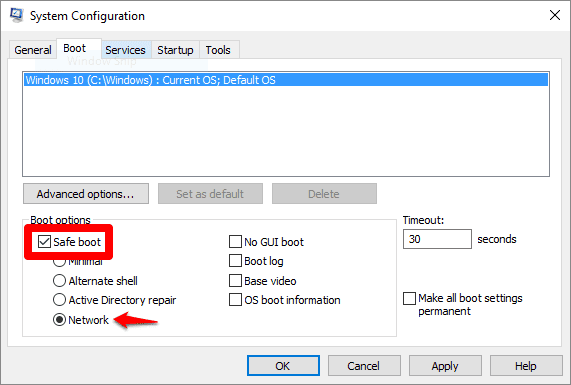
2. Switch to Boot tab and, in the Boot options section, select the Safe Boot with Network. Then click OK.


If you have an Ethernet cable, plug the computer in directly.

NOTE: After you finished your work in Safe Mode, please open System Configuration again (step 1) and uncheck the Safe Boot option (step 2). Click OK and restart your machine. Your computer will now boot normally.
safe mode checkbox system configuration

3. Windows will tell you that you need to reboot your computer in order for the new setting to take effect. After the reboot, your computer will automatically boot into Safe Mode.

IMPORTANT: You may not have internet because of drivers and Safe Mode

Safe Mode doesn’t load most third party drivers as a precaution. This could lead to the scenario where you can’t access the internet. In this instance, you can use another computer to download the .exe setup file and transfer it with a USB drive. You could even use your phone to download and transfer from your phone with a hard wire.

Use Virus removal tools

AFTER YOU HAVE REBOOTED INTO SAFE MODE I recommend:

  1. Download Malwarebytes FREE, install and run
    (they will push you to buy the premium version, it is unneeded for our usage)
  2. Download AdwCleaner, install and run
  3. Download Sophos on demand Scan & Clean. If you want a faster download I’ve mirrored it, but this may be an out of date (3/9/2022) version. This is a ‘second opinion’ scanner that should be run after Malwarebytes.
32 BIT64 BIT
DOWNLOADDOWNLOAD

If you prefer, you can use your own antivirus removal tools.


If you are sure the virus is removed off the device, you can start recovery steps

After removing all traces of Malware

Okay, you’ve restarted your machine. You’ve run Malwarebytes. You’ve run Adwcleaner. You’ve turned off safe mode and now you’re back on the desktop. What now?

Run another virus scan

Seriously, you want to be 100% sure your device is at ground 0 again, especially after a breach. It’s better to be safe than sorry. Now that your device is at a “normal” state, it’s best to be sure some sneaky process isn’t running in the background again somehow.

Change your passwords

Depending on the type of virus, it may be prudent to update the passwords you use for online sites that are important to you. Especially any financial accounts or important email passwords. Trojans frequently exfiltrate passwords as one of the first actions taken upon an infected system.

Check your files

Double check that none of your important files were affected. If they were, this is a great reminder to do a backup! Or at least backup the files that are important to you.

Check antivirus settings

Make sure everything is functioning again and there aren’t any settings turned off from the attack.

Monitor site logins

Watch for site logins (via email or sms) over the next few weeks. If you’ve changed your passwords this shouldn’t be an issue but you can never be too careful.


It helps me if you share this post

Published 2022-12-10 07:00:00

GPT-3 Text Generation Demonstration: An AI rants about Windows

I like Windows, but the new update is terrible. They broke my favorite programs and the new interface is confusing.

But that’s not the only thing they broke.

They also broke the Start menu. Back in my Windows 7 days, the Start menu was a thing of wonder. With the Aero theme (which I miss so much), it was an amazing thing to look at. And it was simple to use. You wanted to start a new program? You clicked “All Programs”. You wanted to find a program? You clicked “All Programs”. You wanted to change a setting? You clicked “All Programs”, then “Control Panel”. You wanted to shut down your computer? You clicked “All Programs”, then “Shut Down”. You wanted to turn off your computer? You clicked “All Programs”, then “Turn Off Computer”. And it was fast. You didn’t have to wait for the Start menu to load, it was just there.

When Windows 8 came out, they tried to change this by introducing the Metro interface and the Start screen. The Metro interface was not the best choice for a desktop interface, but it was still better than the Start screen. The Start screen was a mess. It was hard to find anything and it was slow. They tried to fix this in Windows 8.1 by adding the Start button, but it was still a mess. In Windows 10, they tried to fix it again by adding the Start menu, but it was still a mess. And they tried to fix it again in the Creators Update, but it was still a mess. I don’t know what they’re going to try to do in the Fall Creators Update, but I’m sure it will be a mess.

This is what I was trying to say. I don’t know if it will be a deal breaker for me. I’m considering it, but I’m not sure. I’m not a big fan of the interface or the lock-in, but I like that it’s a good deal and the hardware is good. I’m thinking of getting the 128GB version, though.

The new release of Microsoft’s major operating system has lots of bugs. This sentence is correct.

As for Windows, I’ve used it for years and it’s still not ready for the desktop yet. It’s much better than it was in the past, and it’s getting better, but it’s not quite there yet. I’ll be keeping an eye on it, and when it’s more polished I’ll give it a go.

There is no longer the option to move a box to the front or back. Instead, the option is to change the order in the stack, which may not be as intuitive. The design of the interface has been greatly simplified. The panels have fewer tabs and the options have been moved to a separate popout menu. The search bar has also been removed. The position of the panels and the zoom level are no longer stored with the document. It may be annoying to have to zoom out and rearrange the panels for every new document you open. The new interface may be less friendly for new users. The interface was already quite simple, but the new interface is even simpler.


Wondering wtf you just read? Everything above was generated with GPT-3 with my posts as a base.


It helps me if you share this post

Published 2022-10-20 07:12:00